Marble Track
Build a marble run. Place a limited set of ramps so the marble rolls through the stars and lands in the goal, across twelve handmade levels.
- Puzzle
- Free, plays in your browser
- Mouse or touch
- Added 9 October 2026
- #marble
- #ramps
- #physicspuzzle
- #levels
- #stars
- #brain
Marble Track
0% · Getting ready
Loading Marble Track 0%How to play
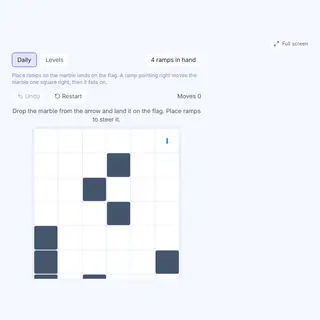
- The marble drops from the start marker at the top and falls one row at a time. Walls stop it dead.
- Tap an empty cell to place a ramp that sends the marble right, tap again to flip it left, and a third time to remove it.
- You only get as many ramps as the level needs, so every ramp has to count. Stars cannot hold ramps.
- Press Drop marble. Land in the goal to clear the level, and collect the stars on the way for a full three.
Controls: mouse or touch. Made by CalcoTools.
Tips and strategy
- Work backwards from the goal. Find the column it sits in and the row where the marble must change direction last.
- A ramp moves the marble one column sideways within its row, then it keeps falling.
- If the marble hits a wall it is blocked, so check that the cell beside a ramp is clear.
- Failed? Press Reset to clear the ramps and try a new layout. Nothing is lost.
FAQ
- Is there always an answer?
- Yes. Every level was built from a working layout, so a solution exists that uses exactly the ramps you are given.
- Is my progress saved?
- Yes. Cleared levels and star counts are saved on this device and you can replay any unlocked level.
- Can I use fewer ramps?
- You can place up to the limit. Most levels need all of them, but a clever route may need fewer.
Similar games

Something not working? Report a problem with this game.